Secure Expense Tracker: Protect Your Financial Data

Voxpense-Team
·6 min read
The Voice Expense Tracking Fear That Stops Users.
You’re considering Voxpense. You like the idea of voice logging expenses. But then the thought hits: “What if the app is always listening? What about my financial data? Is this safe?“
You’re not being paranoid. You’re being smart.
Financial data is intimate. Voice recordings of your spending patterns reveal sensitive information: your location, your purchases, your financial status. Putting that into an app powered by AI naturally raises questions.
The question isn’t paranoia—it’s due diligence.
And you deserve a complete, honest answer. Not marketing fluff. Not vague promises. Real technical details about how your data stays protected.
This is what separates a secure expense tracker from one that just claims to be.
The “Always Listening” Fear: Debunked
Let’s address the elephant in the room: Is Voxpense listening to your phone 24/7?
Short answer: No.
How we know: When you use Voxpense, voice recording only activates when you explicitly tap the microphone button. There’s no background listening, no passive monitoring, no “activation phrase” that triggers silent recording.
Here’s the technical reality:
Traditional voice assistants (Alexa, Google Assistant, Siri): They use “always-on” microphones that listen for wake words. This creates a potential security surface. Every word said near your phone passes through voice processing, even if you don’t activate it intentionally.
Voxpense: Zero always-on listening. Recording only begins when you actively engage. You press the microphone button → recording starts → you speak your expense → recording stops. That’s it.
The difference matters for privacy. Traditional voice assistants require internet connectivity to process wake words (some do local processing, but the data still flows through servers). Voxpense requires active user input and local-first processing.
Local Processing: Your Data Stays on Your Device
Here’s the core privacy technology that makes Voxpense fundamentally different from cloud-based expense tracking:
Traditional expense tracking apps:
- You type or photo an expense
- Data sent to company servers
- Servers process and store it
- Your financial data lives on remote servers
- Your data is only as secure as their security
Voxpense with Local Processing:
- You speak an expense
- Audio processed on your phone (not sent to servers)
- Speech-to-text happens locally
- Only the text (not the audio) optionally syncs to servers
- Raw voice data never leaves your device
What does “local processing” mean in practice?
When you say “Spent 500 on coffee,” your iPhone or Android phone:
- Runs speech recognition locally on your device
- Converts audio to text on-device
- Deletes the raw audio immediately
- Only keeps the text result
The raw voice file—the vulnerable part—never travels over the internet. It stays on your phone, gets processed, and is permanently deleted.
This is critical because voice is more sensitive than text. A voice recording contains tone, emotion, location sounds, and other identifying information. Text (“spent 500 on coffee”) is just data.
By processing locally, Voxpense eliminates the biggest privacy risk of voice-based apps: raw audio transmission.
The Multi-Layer Security Architecture
Voxpense doesn’t rely on a single security measure. It uses defense-in-depth: multiple overlapping protections so if one layer is breached, others still protect you.
Layer 1: App Lock (PIN, FaceID, Fingerprint)
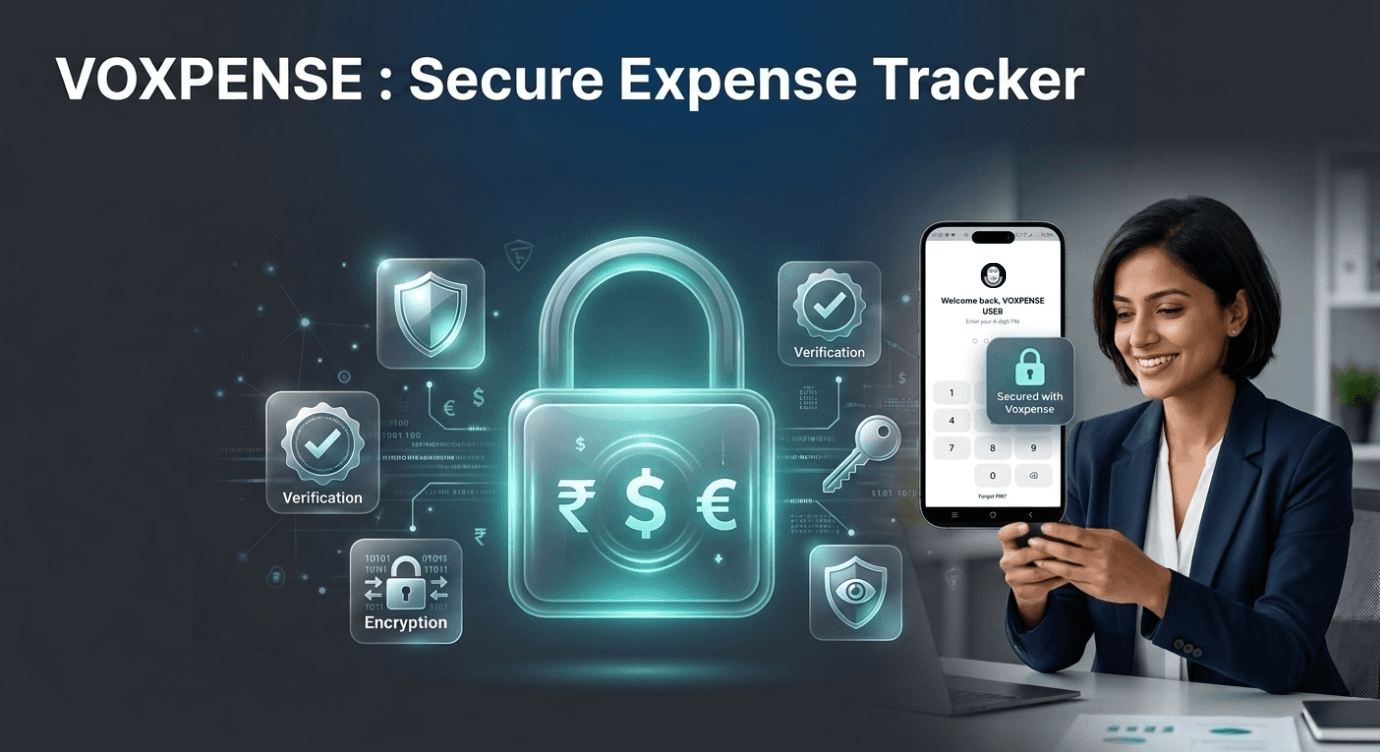
Your phone is already a secure device. But Voxpense adds an additional security wall: built-in app lock.
When you open Voxpense, before accessing your financial data, you authenticate via:
- PIN code (4-6 digits, only you know)
- Face ID (biometric, tied to your face)
- Fingerprint (biometric, tied to your fingerprint)
Even if someone steals your phone, they cannot access Voxpense without:
- Unlocking the phone (Face/Fingerprint)
- Unlocking the app (separate authentication)
This is what separates a secure expense tracker from an unsecured one. Your financial dashboard doesn’t just sit there open—it’s behind two layers of authentication.
Layer 2: Data Encryption
All data stored on your device is encrypted using military-grade encryption standards (AES-256). This means:
- Even if someone physically extracts data from your phone, it’s unreadable without the encryption key
- The encryption key is tied to your device and your authentication credentials
- Without your PIN/FaceID/Fingerprint, encrypted data is worthless
Layer 3: Regular Security Audits
Voxpense undergoes:
- Third-party penetration testing (simulated attacks to find vulnerabilities)
- Security code reviews
- Compliance audits for data protection standards
This isn’t security theater. It’s mandatory, documented, third-party verified security.
Your Financial Data: What Gets Stored, What Doesn’t
What Voxpense DOES store:
- Transaction amount (₹500)
- Category (Food, Transport, etc.)
- Timestamp (when you logged it)
- Merchant/description (Coffee shop)
- Budget allocations
- Your goals and progress
Why we store this: To provide analytics, budget tracking, and insights. This is useful financial data.
What Voxpense NEVER stores:
- Raw audio files (voice recordings)
- Your voice biometric data
- Precise location data (only category-level location data if you enable it)
- Bank account details (you don’t enter these into Voxpense)
- Personally identifiable information beyond necessary contact details
Why we don’t store this: Because we don’t need it. We’ve designed the app to function with minimal data retention.
The distinction matters: storing “spent 500 on coffee” is nothing like storing your actual voice recording. One is anonymized transaction data. The other is raw audio that could be abused.
The AI Listening Myth vs. Reality
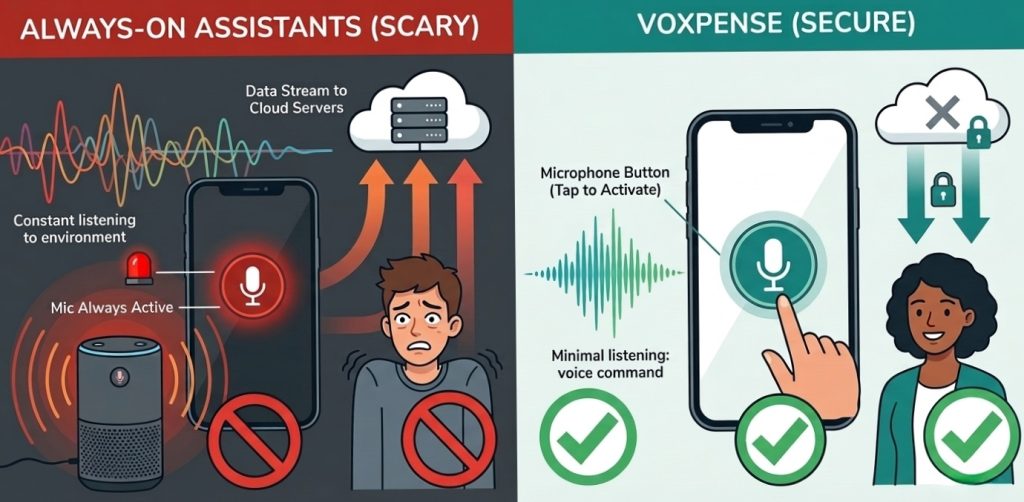
The fear: “AI is listening to everything I say. Voxpense is recording me constantly.”
The reality: Voxpense only processes audio when you explicitly activate voice input. Think of it like your camera—it’s not taking photos 24/7. You take a photo when you press the button.
Here’s what happens technically:
- You press the microphone button (explicit consent)
- Recording begins
- Audio is processed on-device using speech-to-text
- Raw audio deleted immediately after processing
- Only the text result saved
- You can delete the transaction anytime (which deletes the associated data)
Compare to traditional assistants:
- Alexa/Google Assistant: Always listening for wake words (higher privacy risk)
- Voxpense: Only listens when you ask it to (minimal privacy risk)
The AI isn’t “learning” from your spending without permission. It’s simply converting your voice to text—like transcribing a memo. The text is the useful output. The voice? Deleted.
Multi-Currency Support Without Privacy Risk
One question users ask: “If Voxpense supports multi-currency, does it need to access my location to know my currency?”
No. Voxpense:
- Lets you manually select your primary currency (₹, $, €, etc.)
- Doesn’t require location permissions
- Doesn’t transmit location data unless you explicitly enable it
- Doesn’t sell location data under any circumstances
Your privacy isn’t sacrificed for convenience. You maintain control.
App Lock Feature Explained
Why App Lock Matters
Your phone might be unlocked, but your financial data shouldn’t automatically be exposed. Voxpense app lock adds this critical protection:
Scenario: You leave your phone on your desk. A colleague picks it up to check the time. Without app lock, they can open Voxpense and see all your financial data.
With Voxpense app lock: They’d need your PIN or biometric authentication. Your data stays private even if your phone is unlocked.
How to Enable App Lock
Inside Voxpense:
- Settings → Security
- Select “Enable App Lock”
- Choose: PIN, Face ID, or Fingerprint
- Confirm your choice
- App now requires authentication every time you open it
This isn’t optional. We recommend it as the default.
The Bottom Line: Secure expense tracker
Design
A safe finance app isn’t just about technical security (though that’s crucial). It’s about:
- Honest design — Only collect data you need
- Local processing — Don’t send sensitive data over the internet unnecessarily
- Strong encryption — Data is protected end-to-end
- User control — You decide what to share and what to delete
- Transparency — Clear privacy policies, not legal jargon that hides practices
- Accountability — Third-party audits verify security claims
Voxpense is built on all six principles.
Moving Forward: Your Security Checklist
When evaluating any secure expense tracker or private budget app, ask:
- Is voice data processed locally or sent to servers?
- Is there built-in app lock?
- What data does the app actually need?
- Is data encrypted in transit and at rest?
- Do they have a clear privacy policy?
- Have they been independently audited?
- Do they sell user data?
- What happens if I delete my account?
Voxpense satisfies all eight criteria.
Conclusion: Trust Is Earned, Not Promised
We understand your hesitation about voice-based financial tracking. That hesitation is justified—financial data is sensitive, and you should demand protection.
Voxpense isn’t asking for blind trust. We’re showing you how we protect your data: local processing, app lock, encryption, privacy policies, and third-party audits.
Your financial information deserves to be:
- Private (never sold to third parties)
- Secure (encrypted and locked)
- Yours (you control what’s stored and what’s deleted)
That’s not just a promise. That’s built into every layer of Voxpense.
Try Voxpense today and experience the peace of mind that comes with a truly secure expense tracker.