Delete Account
If you wish to permanently remove your Voxpense account and all associated data, follow the step-by-step guide below. Please read each step carefully before proceeding, as this action is irreversible and cannot be undone.
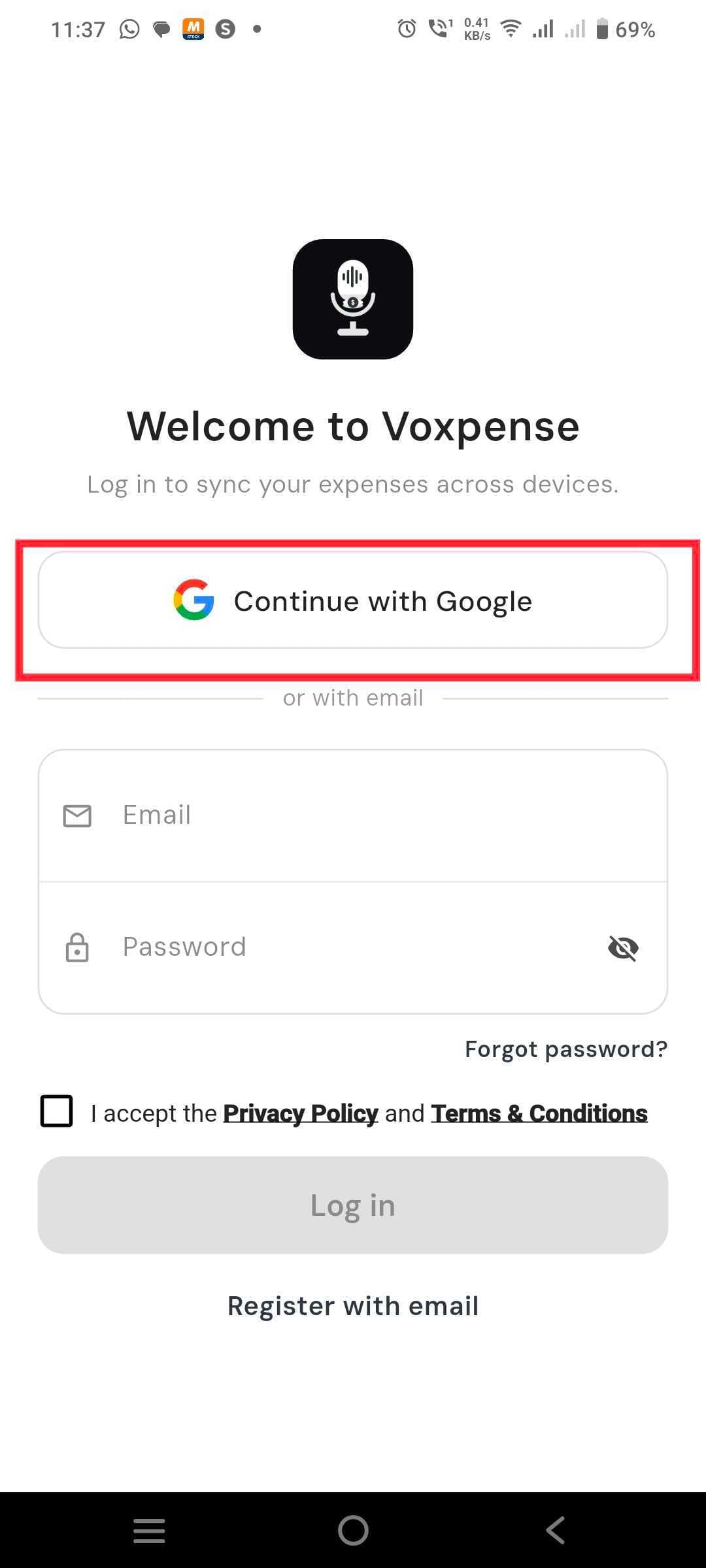
Step 1: Login to App
Open the Voxpense app on your device and log in using your registered email address or Google account. Make sure you have access to the account you wish to delete.
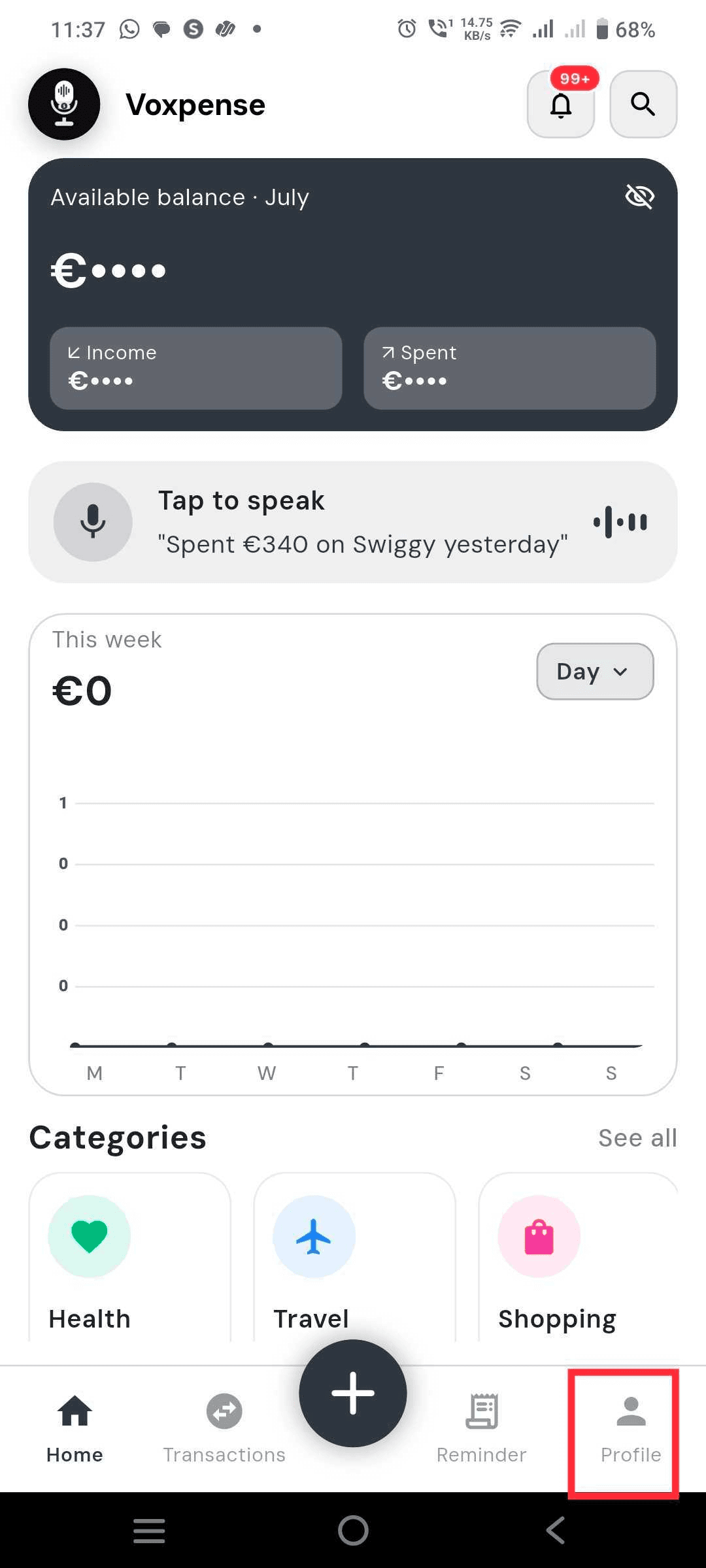
Step 2: Go to Profile Section
Once logged in, navigate to the Profile section. You can find it by tapping the profile icon located in the top-left corner of the app's main screen.
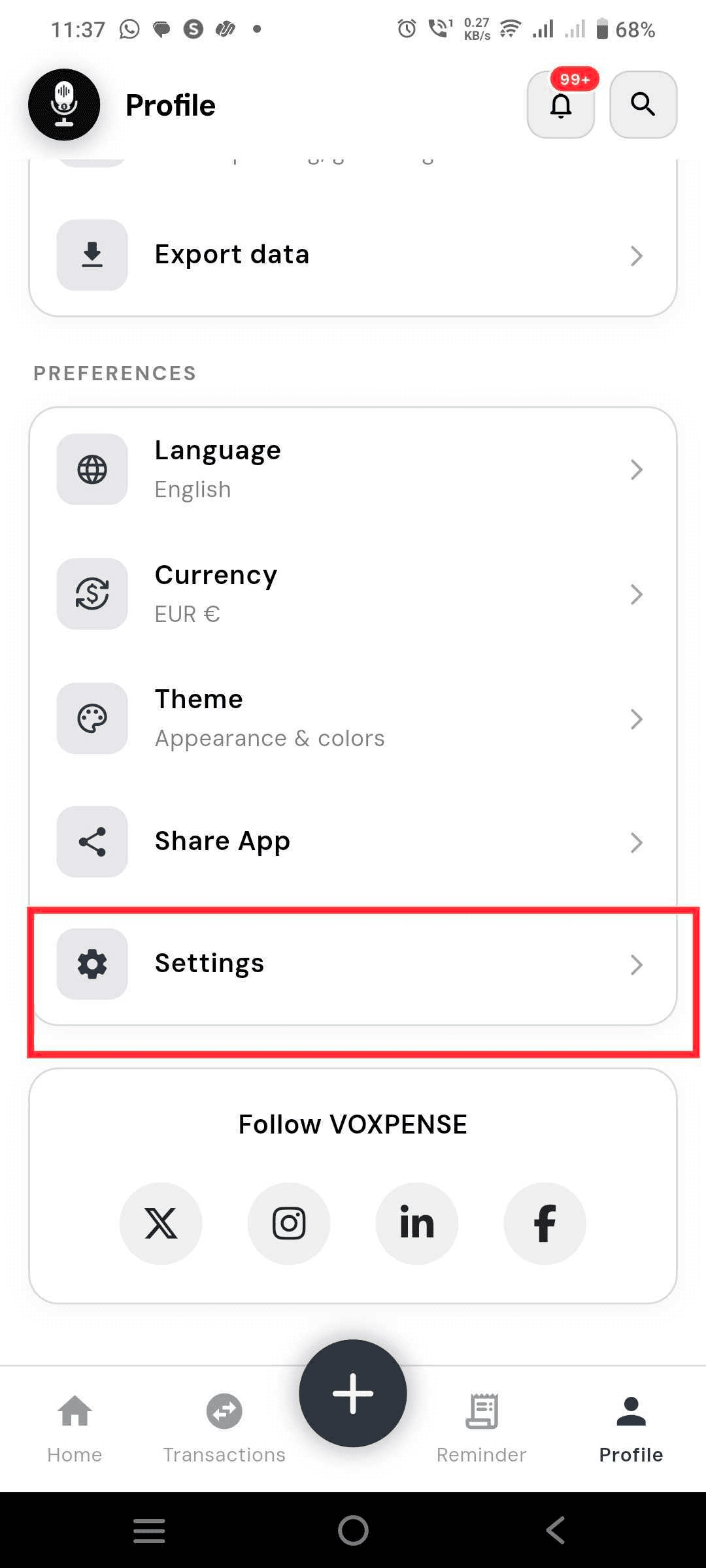
Step 3: Go to Setting Section
Inside the Profile page, scroll down and tap on the Settings option. This will open the settings menu where you can manage your account preferences.
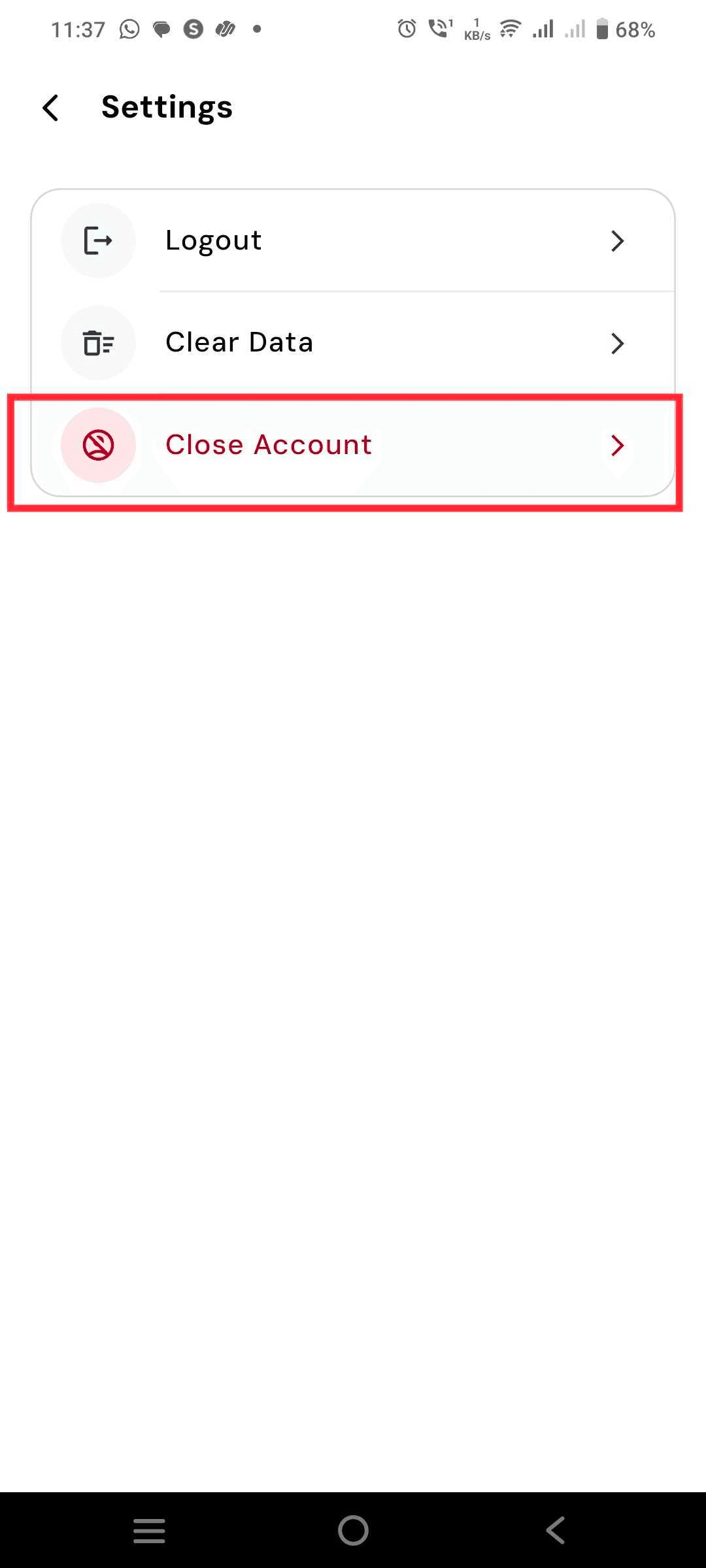
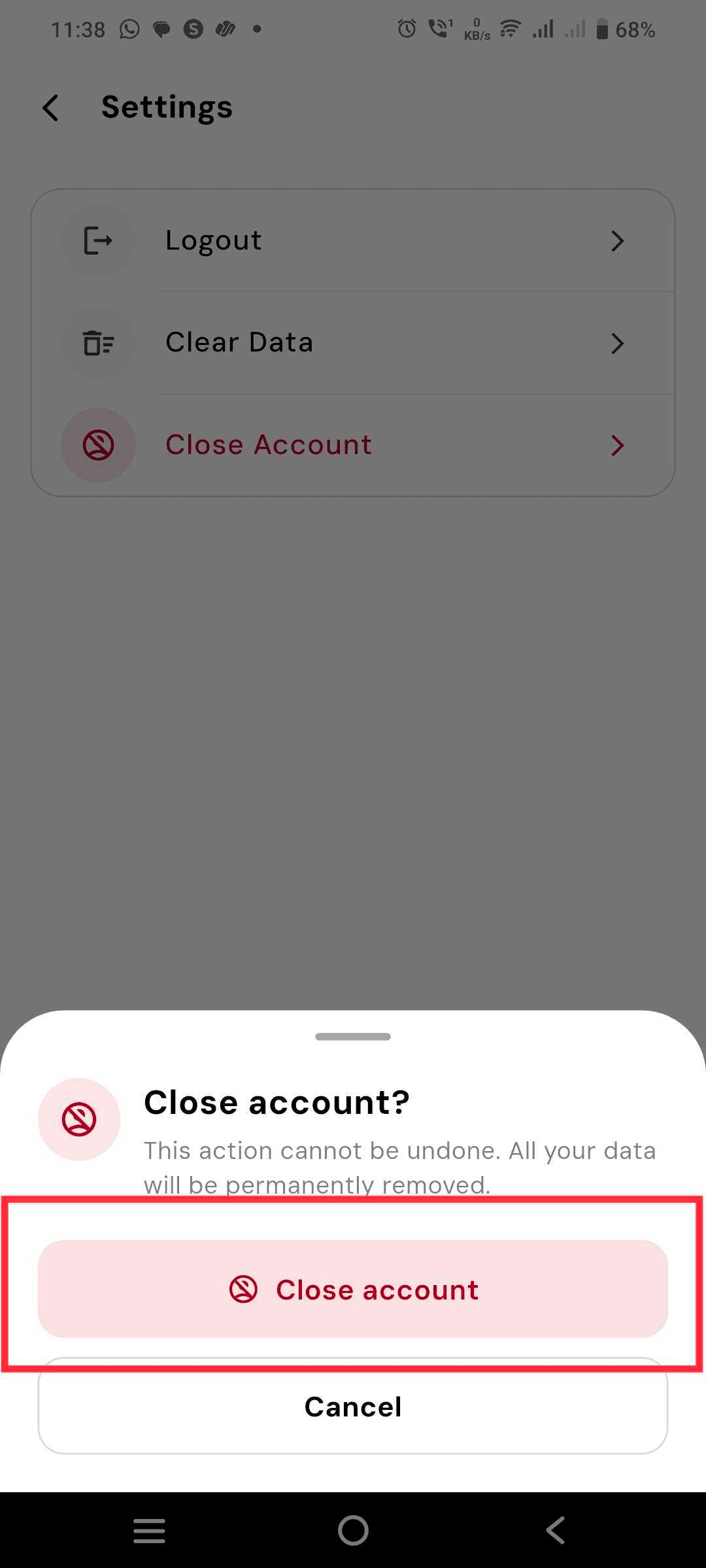
Step 4: Click on Close Account Button
In the Settings menu, scroll to the bottom and tap on the Close Account button. A warning message will appear informing you about the permanent nature of this action.
Step 5: Confirm the Close Account Action
Read the warning carefully and tap Confirm to permanently delete your account. Once confirmed, your account and all associated data will be irretrievably removed from our servers.
Important Notice
- Deleting your account is permanent and cannot be reversed. All your expenses, budgets, savings goals, bills, and account data will be irretrievably removed.
- If you only want to reset your financial data without deleting your account, go to Profile → Settings → Clear Data instead.
- If you no longer have access to the app, you can request deletion by emailing info@voxpense.app with the subject line "Account Deletion Request".