Best Voice Expense Tracker App for 2026

Voxpense-Team
·11 min read
The Biggest Problem with Today’s Expense Tracking Apps
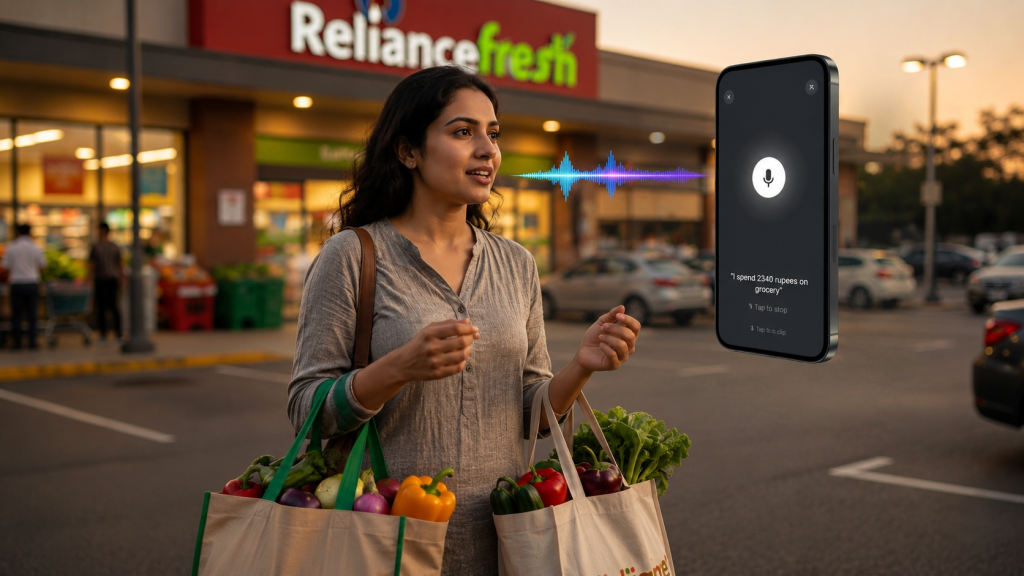
You’re at the grocery store. Bags in both hands. You just spent ₹2,340. You get to your car and think: “I should log this.”
But then you realize: your hands are full. Your phone is buried in your pocket. Opening the banking app, finding the expense tracker, typing out the amount, selecting the category—it all takes time.
By the time you make it home, you’ve forgotten to log it.
This friction happens thousands of times a day for millions of people worldwide. The average person forgets to log 40% of their daily expenses because manual entry is too cumbersome.
That’s the problem with traditional expense tracking apps. They were designed for people sitting at desks, not for the real world.
But what if you could track expenses without typing at all?
What if you could log a ₹500 dinner at a restaurant, a ₹150 coffee, and a ₹1,200 Uber ride all while keeping both hands free? What if your app understood context, automatically categorized expenses, and even understood both Hindi and English without forced translation?
That’s the power of voice-based expense tracking—and it’s changing how millions of people manage their money in 2026.
Why Manual Expense Tracking Is Failing (Even Though Everyone Knows They Should)
The Statistics Tell the Story
68% of people attempt to track their expenses manually at some point. Yet:
- 52% abandon tracking within the first month
- 71% admit forgetting to log purchases on the same day
- 83% lose motivation after a few weeks of manual data entry
The reason? Friction. Friction everywhere.
The Hidden Costs of Traditional Expense Apps
When you use a traditional expense tracking app, here’s what really happens:
Moment 1: Purchase Made. You buy something. You’re busy. Your hands might be full. Your mind is elsewhere.
Moment 2 – Memory Lag: Hours pass. You get home. You remember: “Oh, I need to log those expenses.”
Moment 3 – App Opening: You open your phone. Unlock it. Find the app. Wait for it to load.
Moment 4 – Manual Data Entry: You manually enter the amount, choose a category, optionally add a note, and then save the expense.
Moment 5 – Repetition: You do this 5-10 times a day for dozens of purchases.
The Result? By day 7, you’re exhausted. By day 30, you’ve quit.
The bigger problem? You’re missing data. That coffee you forgot to log. The lunch you didn’t record. The subscription you didn’t remember. Your expense data is incomplete, so your budget is built on inaccurate information.
Why Categories Are Confusing
Even when people log expenses, they’re confused by categorization.
Is a coffee from a convenience store “Food & Dining” or “Groceries”?
Is an Uber to visit a friend “Travel” or “Entertainment”?
Traditional apps force you to choose. You pause to decide the right category, wasting 5–10 seconds on every expense entry.
Multiply that across 10-15 daily transactions, and you’re spending 2+ minutes daily just categorizing expenses.
The Zero-Typing Solution: How Voice Expense Tracking Changes Everything
Voice-based expense tracking eliminates all of this friction.
Instead of pulling out your phone, unlocking it, opening an app, and typing—you simply speak.
“Spent 500 rupees on groceries.”
Done. Your app:
- Logs the amount (₹500)
- Records the category (Groceries)
- Timestamps the transaction
- Understands natural language (no rigid templates)
- Works while you drive, walk, cook, or carry grocery bags
With the Zero-Typing principle, your hands stay free, your focus remains uninterrupted, and the app takes care of the rest.
Why This Matters for Your Life
Let’s be specific. Here’s how zero-typing changes your day:
Scenario 1: Commuting (5 minutes saved). Traditional app: You’re sitting in an Uber. You recall each expense, manually enter and categorize every transaction, double-check for missed entries, and spend nearly five minutes logging what should have taken seconds.
VOXPENSE: You say: “Spent 450 on lunch, 150 on coffee, 300 on snacks.” You press send. Done in 30 seconds. Time saved: 4.5 minutes.
Scenario 2: Grocery Shopping (3 minutes saved). Traditional app: You’re at the store, bags in both hands. Instead of logging each expense one by one from memory, manually categorizing them, and spending five minutes checking for missed entries, you can record everything in seconds. Total time: 3+ minutes.
VOXPENSE: You’re in the car (hands free). You say: “Spent 2,340 on groceries.” Done in 10 seconds.
Scenario 3: Multiple Small Transactions (10+ minutes saved). Traditional app: You buy: coffee (₹120), sandwich (₹280), book (₹450), parking (₹40). You remember some, forget others. You manually type and categorize. Total time: 8-10 minutes. Data quality: 70% complete.
VOXPENSE: You say all 4 purchases as they happen. The app logs them instantly. You don’t forget because you log in real-time. Total time: 1 minute. Data quality: 100% complete.
Add this up over a month: You save 5-8 hours per month from elimination of manual data entry friction.
How Voice Expense Tracking Actually Works
You might wonder: How does a voice app understand what you’re saying?
Here’s the technical reality in simple terms:
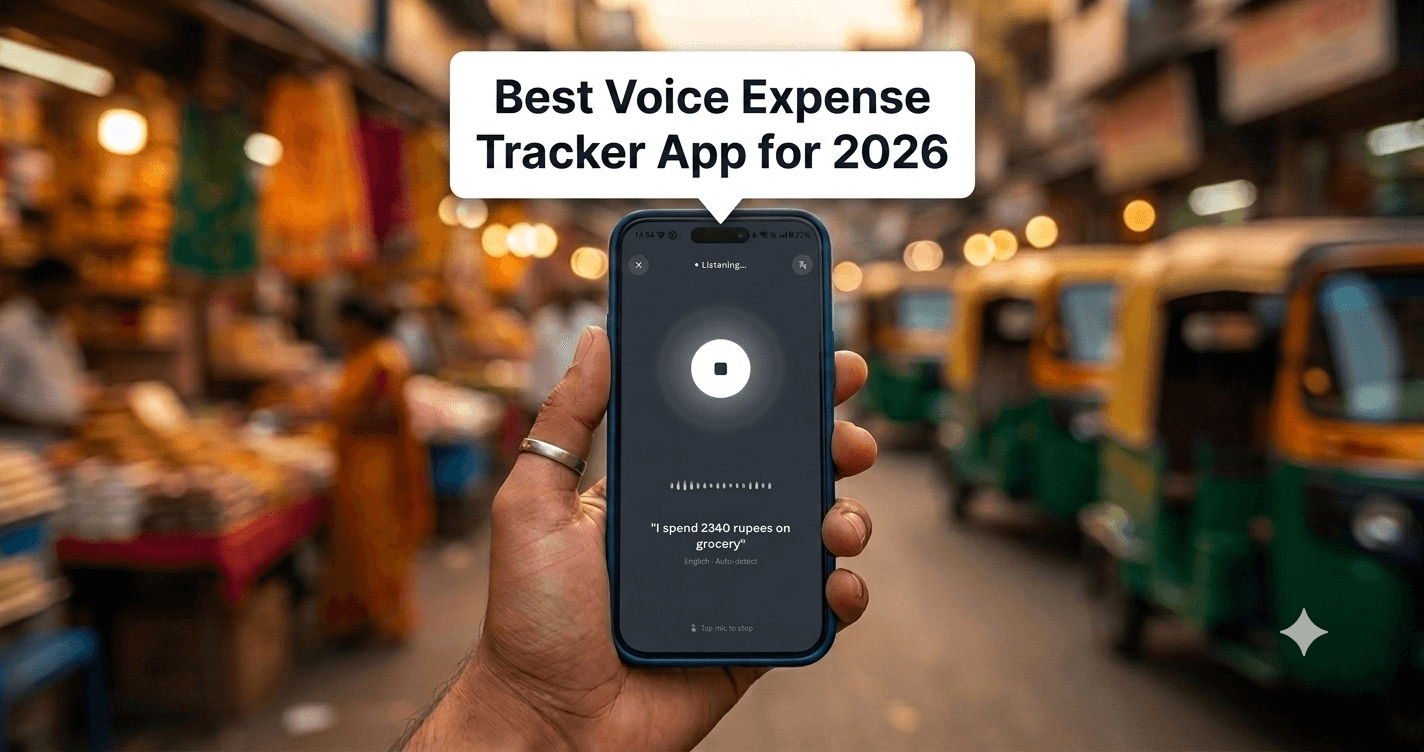
Step 1: Speech Recognition (AI Listens)
You speak your expense: “Spent 1,200 on Uber to airport.”
Advanced AI listens to your voice and converts it to text. Modern voice recognition—powered by artificial intelligence—understands:
- Numbers (1,200)
- Context (Uber = travel)
- Natural language (You didn’t say “expense category: transportation”—you just said “Uber”)
- Multiple languages (Hindi, English, mixing both naturally)
Step 2: Intelligent Parsing (AI Understands)
The app breaks down what you said:
- Amount: 1,200
- Category: Travel (from the word “Uber”)
- Merchant: Uber
- Time: Now (automatically timestamped)
You didn’t need to specify any of this. The app understood it from context.
Step 3: Automatic Categorization (AI Learns)
The app doesn’t just recognize words. It learns patterns:
- Spent 200 on dinner → Food & Dining
- Spent 300 on Netflix → Entertainment (not a surprise; it remembers Netflix is a subscription service)
- Spent 1,500 on Amazon → Shopping (and remembers your previous Amazon purchases)
- Spent 80 on parking → Transport
Over time, the app learns your spending patterns and gets smarter about categorization.
Step 4: Data Synchronization (Instant Updates)
Your expense data syncs instantly across:
- Your phone’s dashboard
- Your web account
- Your financial summary
- Your budget tracking
You see updated spending data in real-time, without any manual work.
Key Features That Make Voice Tracking Essential
1. Real-Time Expense Logging
Why it matters: Most people forget purchases within hours. Voice tracking captures expenses at the moment they happen.
You’re standing at the coffee shop. You buy a coffee. You say “Spent 150 on coffee.” Logged immediately. No memory lag. No forgotten data.
2. Hands-Free Operation
Why it matters: 73% of people are multitasking when they should be logging expenses. They’re:
- Driving
- Cooking
- Carrying groceries
- Pushing a stroller
- Walking
Voice tracking doesn’t require typing, screen interaction, or visual attention. You speak while doing anything else.
3. Natural Language Understanding
Why it matters: You don’t think in app categories. You think naturally:
- Spent 500 on gas
- Paid my Netflix subscription
- Treated myself to lunch
- Bought gifts for mom
Traditional apps force rigid input. Voice apps understand what you actually mean.
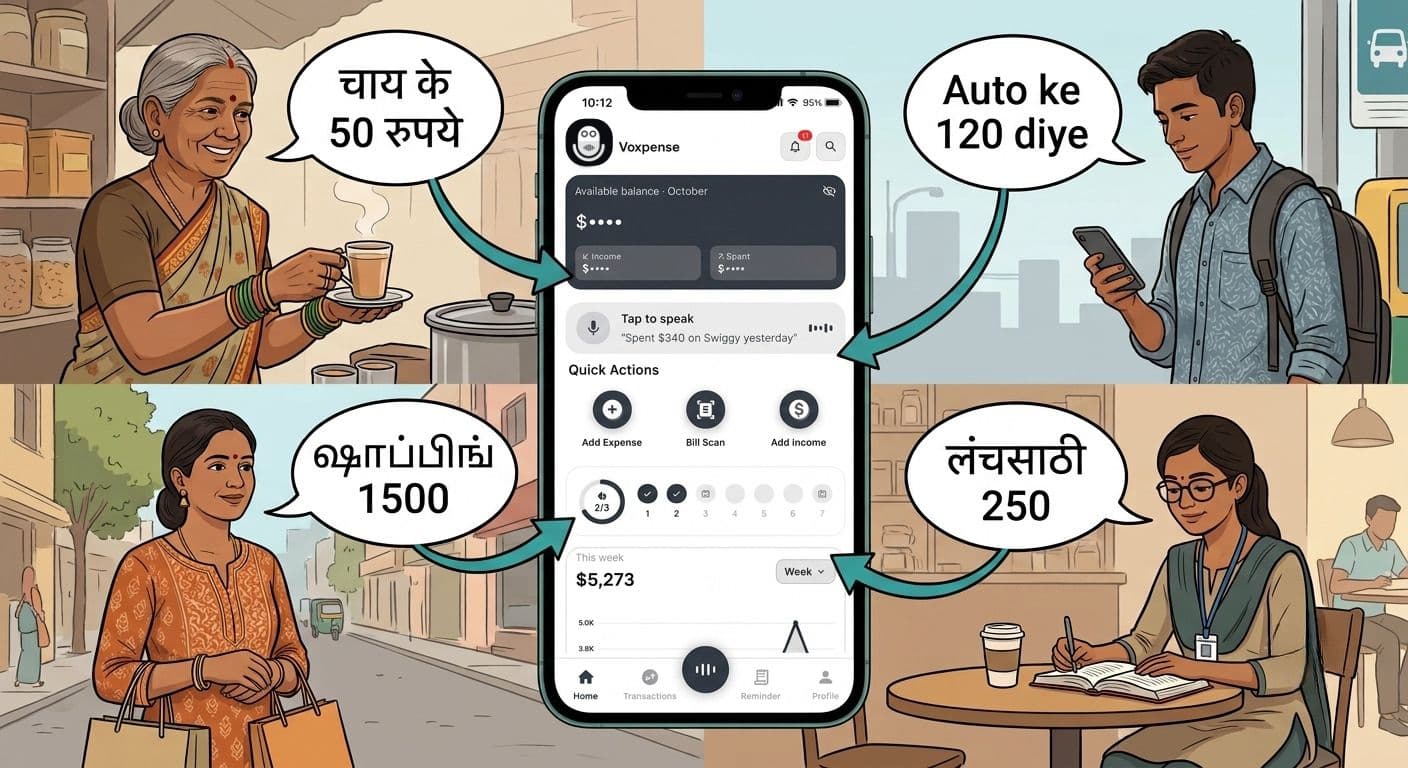
4. Bilingual Support (Hindi & English)
Why it matters: 40% of smartphone users in India primarily use Hindi. Forcing them to think in English while logging expenses adds friction.
Voxpense understands:
- Pure Hindi: ₹500 किराए पर खर्च किया
- Pure English: Spent $500 on rent
- Mixed code-switching: Spent 500 on chai (mixing English amount with Hindi product)
5. Automatic Categorization with AI
Why it matters: The app learns YOUR categorization preferences over time.
Most people categorize “Starbucks” as “Food & Dining.” But some people categorize it as “Coffee” or “Cafes.” The AI learns your pattern and starts auto-categorizing correctly based on your behavior.
6. Context-Aware Spending Insights
Why it matters: The app doesn’t just store data—it analyzes patterns.
After 2-3 weeks, your app might tell you:
- You spent 45% more on food this week than last week
- Your commute expenses are 30% higher due to increased travel
- You’ve spent ₹8,500 on entertainment this month vs ₹6,200 last month
These insights help you adjust behavior in real-time, not at month-end.
The Real-World Problem Voice Solves
Let’s get specific about who struggles most with traditional expense tracking:
Busy Professionals
You’re managing a business. You attend meetings, lunches, client dinners. You take Ubers, taxis, flights. By evening, you have 20+ expense entries to log.
Traditional app: You dread it. You put it off. By week’s end, you’ve forgotten half of them.
Voice app: You log as you go. Spent 450 on client lunch. Spent 1,200 on Uber. Done. Real-time accuracy.
Parents Managing Family Spending
You’re buying groceries, school supplies, kids’ activities, paying bills. Your expenses are scattered across dozens of merchants and days.
Traditional app: You sit down once a week to “catch up” on logging. You’re exhausted. You forget details. Your data is incomplete.
Voice app: You log while shopping. “Spent 3,500 on groceries.” “Spent 800 on school books.” You have 100% data capture without adding stress.
Freelancers & Gig Workers
You’re getting paid variably. You have business expenses (equipment, software, co-working space) mixed with personal expenses.
Traditional app: You lose track. You overspend on business items. You miss tax deductions because you didn’t properly track and categorize.
Voice app: You log business expenses as tax-deductible in real-time. Your app builds your expense records automatically, perfect for tax season.
Students Managing Limited Budgets
You have a small allowance or part-time income. Every rupee matters. You need to see where your money goes.
Traditional app: You forget to log. Your data is missing. You think you spent ₹5,000 on food but actually spent ₹7,000 (forgot to log). Your budget is worthless.
Voice app: You log everything. Your data is complete. You actually know where your money goes.
Voxpense vs. Traditional Expense Tracker Apps
Here’s how voice-based tracking compares to keyboard-based apps:
| Feature | Traditional App | Voice App (Voxpense) |
|---|---|---|
| Data Entry Method | Type amounts, select categories | Speak naturally |
| Time per expense | 45-60 seconds | 5-10 seconds |
| Hands required | Both (typing, scrolling) | None (hands-free) |
| Real-time accuracy | 50-60% (people forget) | 95%+ (log immediately) |
| Language support | English mostly | Hindi + English + code-switching |
| Category selection | Manual (choose from list) | Automatic (AI learns) |
| Mobile dependency | High (must use app) | Low (just need voice) |
| Learning curve | Medium (menus, categories) | Low (just speak naturally) |
| Retention rate | 25-35% (people quit) | 75%+ (minimal friction) |
| Cost | $5-15/month | ₹99/month or free tier |
The key difference? Traditional apps require decision-making and manual effort at the moment of logging. Voice apps eliminate that friction.
How to Use Voxpense: The Zero-Typing Workflow
Step-by-step, here’s how simple voice expense tracking works:
Step 1: Open the App (2 seconds)
Tap Voxpense on your home screen. The recording interface appears.
Step 2: Speak Your Expense (10-15 seconds)
Say what you spent, naturally:
- Spent 500 on coffee
- Paid 2,300 for groceries
- Treated myself, spent 1,200 on shoes
- Train ticket to Delhi, 450 rupees
Step 3: AI Processes (Instant)
The app:
- Recognizes your speech
- Extracts amount and category
- Stores timestamp
- Categorizes automatically
- Updates your dashboard
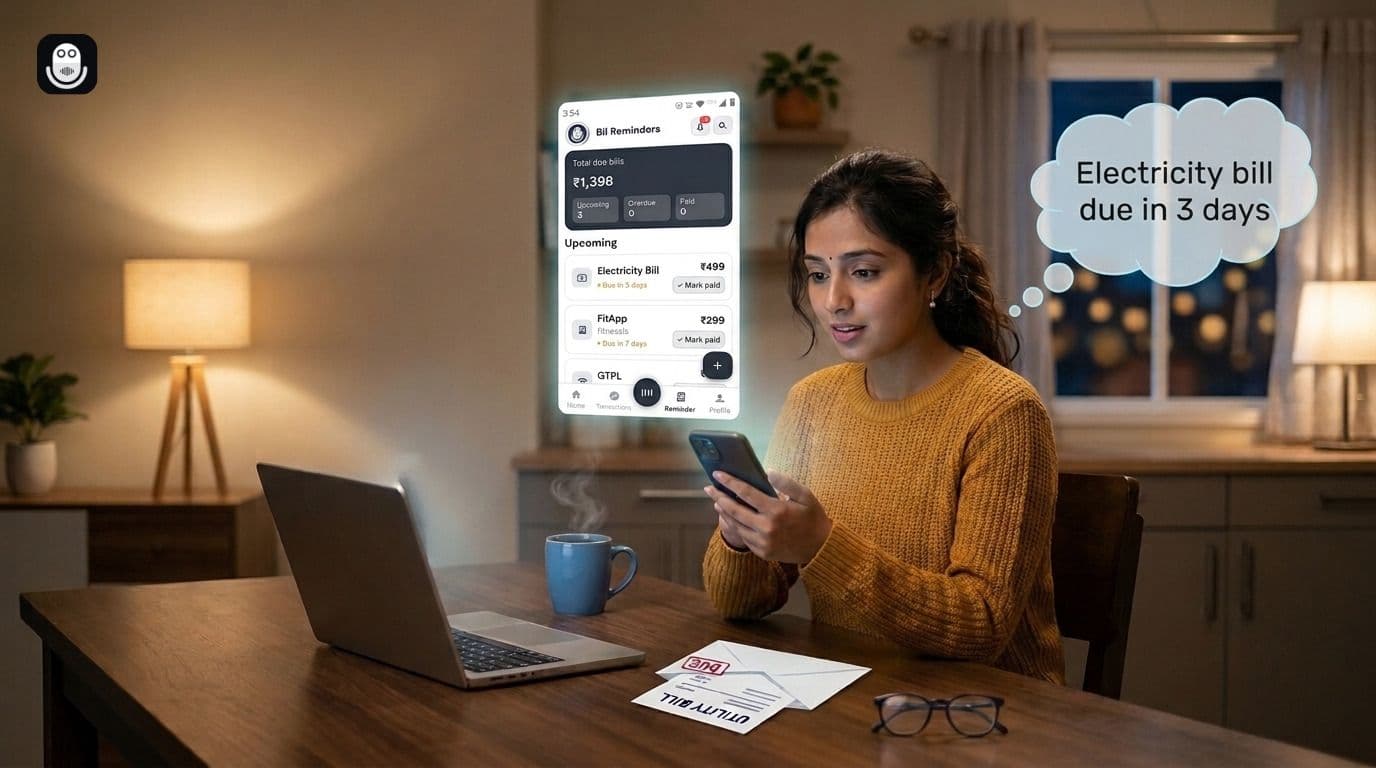
Step 4: View Your Data (Real-Time)
Open your dashboard & see:
- Today’s spending by category
- Weekly trends
- Monthly comparison vs budget
- Spending insights and alerts
Total time from purchase to logged entry: 20 seconds (including speaking).
The Psychology of Expense Tracking
Here’s why voice changes behavior:
Traditional apps create friction at the wrong moment. You buy something. You’re busy. You’re in the moment. The app asks you to stop, pull out your phone, think, and type. Your brain says: “I’ll do this later.” You never do.
Voice apps align with behavior. You buy something. You immediately speak about it (takes 10 seconds). Your brain feels satisfied—you’ve recorded it. The moment hasn’t been disrupted. And your data is complete.
This is why voice tracking has such higher adoption and retention rates.
Real-World Use Cases
Case 1: Priya, a Marketing Manager
The Problem: Priya manages her household budget, but constant business expenses blur personal and professional spending. She uses traditional apps but forgets to log most Uber rides, client lunches, and coffee meetings.
With Voxpense: Priya now logs expenses the moment they happen. “Spent 1,200 on Uber to client office.” “Client lunch, 1,500 rupees.” By month-end, she has complete data. She can:
- Claim legitimate business expense deductions
- See her actual personal spending (not inflated by forgotten business expenses)
- Make accurate budget adjustments
Result: 40% more accurate budgeting. 2+ hours monthly saved. Clear business vs personal expense separation.
Case 2: Rohan, a Student
The Problem: Rohan gets ₹10,000/month allowance. He thought he was spending ₹6,000, but couldn’t figure out where the money went. A traditional app felt like homework.
With Voxpense: Rohan speaks his expenses as they happen. In Week 1, he logs: “1,200 on food,” “800 on Netflix,” “500 on books,” “2,000 on outings.” He’s shocked. He actually spent ₹9,800, not ₹6,000.
Armed with real data, he adjusted his behavior. He now uses Voxpense to stay within his ₹9,500 monthly budget.
Result: Complete expense visibility. Behavioral change. Financial discipline without stress.
Case 3: Meera, a Freelancer
The Problem: Meera earns through freelancing but doesn’t have a clear picture of business vs personal expenses. She overspends on software, misses tax deductions, and gets stressed during tax season.
With Voxpense: Meera tags business expenses as “Tax Deductible” while logging. The app automatically separates personal from business spending. By tax season, she has a complete, categorized record of all business expenses.
Result: Successful tax filing with documented deductions. ₹15,000+ in claimed deductions. Zero stress during tax season.
The Bottom Line: Why Voice Is the Future of Budgeting
Traditional expense tracking apps have failed because they add friction, not solve problems.
Traditional expense apps ask you to remember, pause, type, think, and manually categorize every transaction.
Voice expense tracking removes all that friction.
It lets you:
- Log expenses in seconds, not minutes
- Keep your hands free while multitasking
- Capture 100% of your spending (no forgotten purchases)
- Get automatic insights without manual analysis
- Stay on budget without the stress
The future of personal finance isn’t about complicated spreadsheets or detailed apps. It’s about removing friction so completely that budgeting becomes as natural as speaking.
And that’s exactly what voice expense tracking does.
Ready to Track Expenses the Smart Way?
Stop wasting time on manual expense logging, forgetting purchases, and building budgets with incomplete financial data.
Try Voxpense free. No credit card required. Start speaking your expenses today.
Download Voxpense Free →
With hands-free expense tracking, your data stays complete, and your budget stays on track.
What’s the biggest pain point you face with expense tracking? Share in the comments below. We read every response and use your feedback to improve Voxpense.